Purpose and Scope of this Document
This document serves to outline Continuous Integration/Continuous Deployment (CI/CD) and automation practices within the KaaS ecosystem. It provides a high-level overview of the components involved, as depicted in the accompanying diagram.
Components Overview
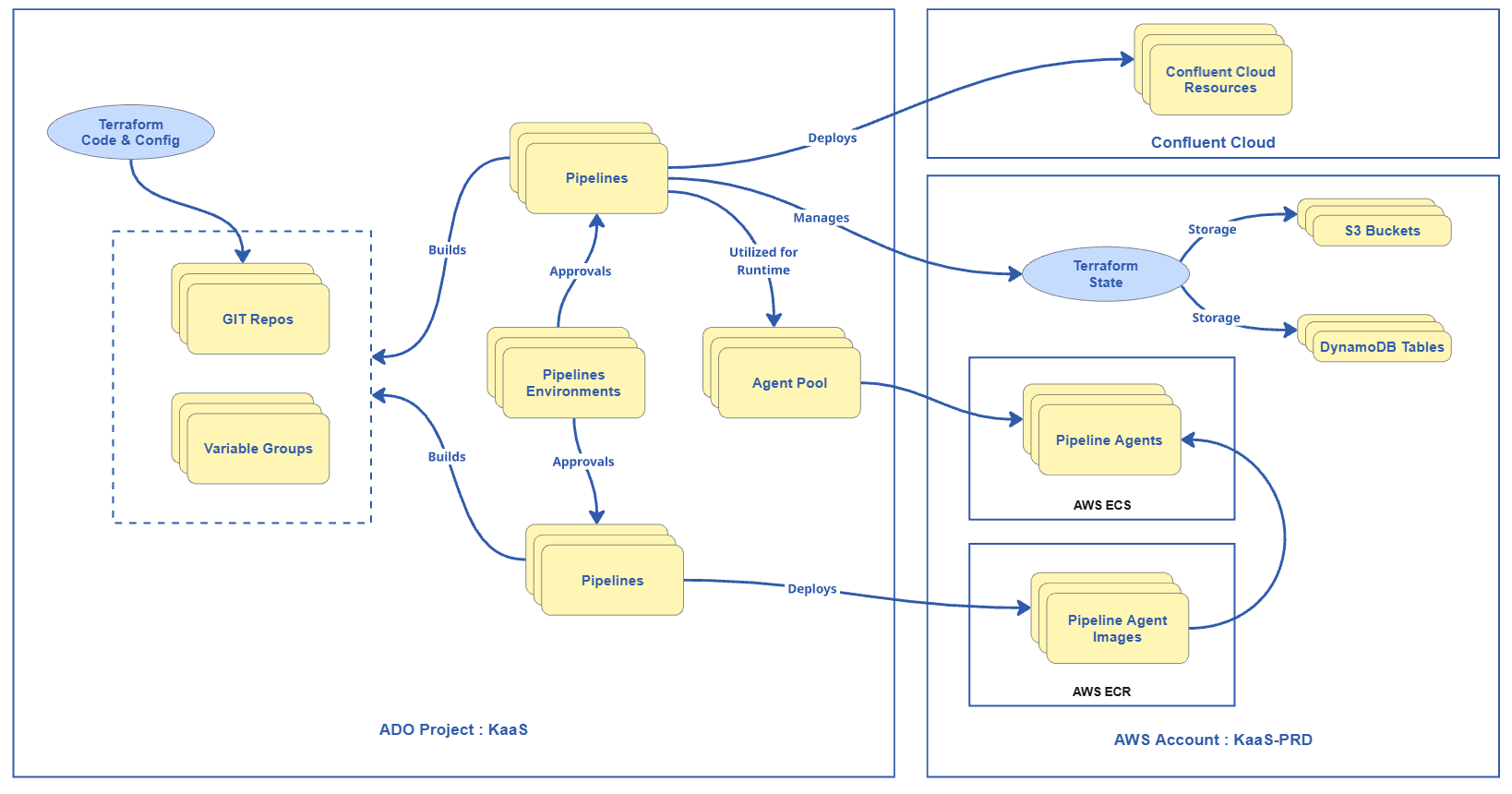
| Git Repository / Pipeline | Description |
|---|---|
| kaas-assets-template | A Git repository managed by the KaaS team that serves as a template for creating pipelines. Initial setup is copied from this template for projects onboarded in the KaaS Workspace. |
| kaas-pipeline-templates | A Git repository that contains reusable pipeline templates for various stages of CI/CD. Managed by the KaaS team and utilized by different projects. |
| Syntax Checker | A pipeline associated with the kaas-pipeline-templates that checks the syntax of the configurations and code before deployment. |
Prerequisites
To utilize these resources effectively, the project team must fulfill specific prerequisites:
- The team must be fully onboarded and possess the necessary permissions as outlined in the KaaS Wiki Team Onboarding article.
- Access to the kaas-assets-template repository within the KaaS Workspace ADO project is essential.
- For service connection setup, teams should reach out to the KaaS team.
- Appropriate access controls must be established if the KaaS Workspace setup is selected, which will occur during the onboarding process.
Ways to Use the Kaas-assets-template
There are currently 2 ways of using the kaas-assets-template:
1. KaaS Managed ADO Project - You get onboarded to KaaS workspace and will have a repository and pipeline (with any other needed resources) just for your project with access control specific to your team.
2. Self Managed ADO Project - You copy the template into your own ADO project and simply check out the needed stages for your use. Note that this may result in more work than stated in this guide.