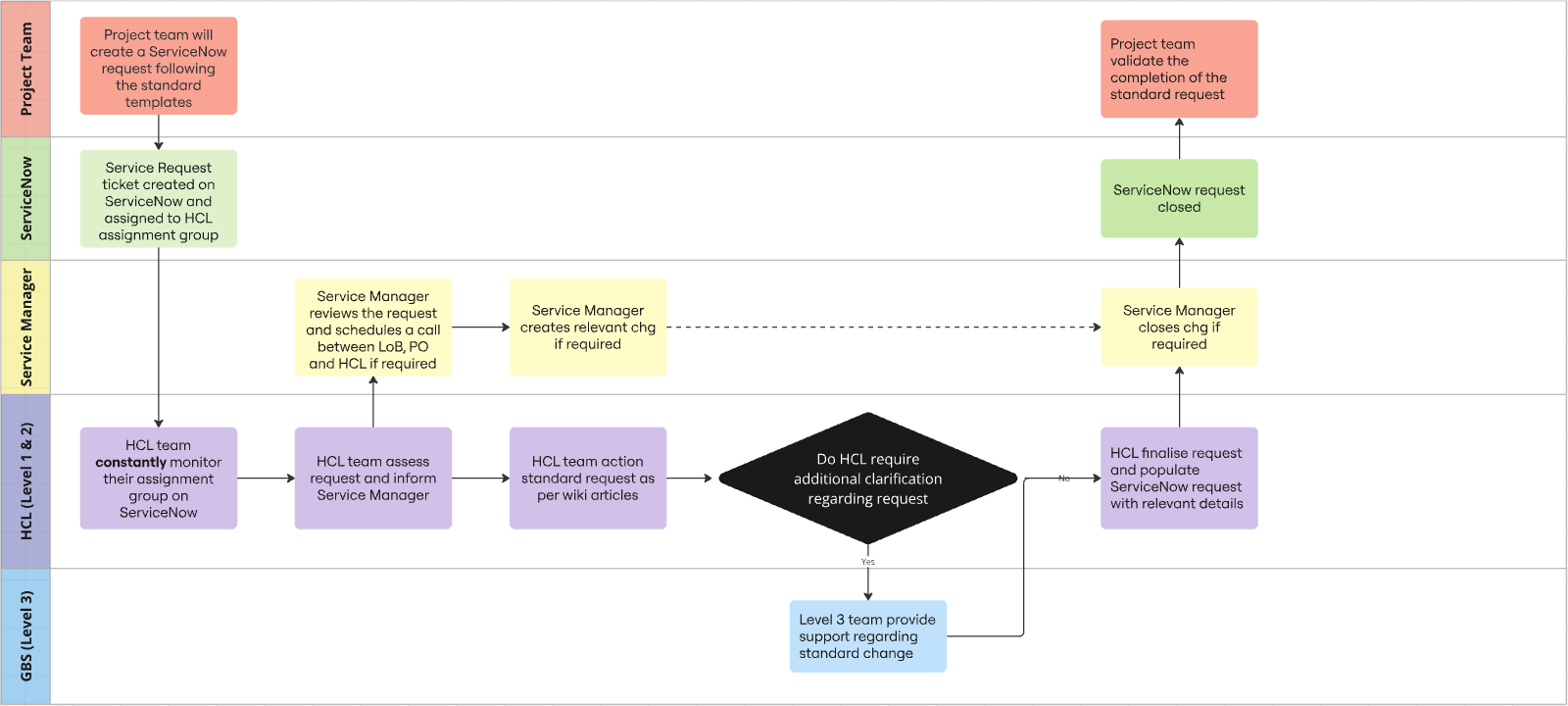
Support Setup
Purpose
The purpose of this page is to outline the support setup and describe what channels are used and who are part of them.
ServiceNow
ServiceNow is used as the service management tool, for handling requests, incidents and changes.
- KaaS is created as a 'Business Application' in ServiceNow with the name Kafka as a Service (KaaS) (ID 12945)
- The following Support Group / Assignment Group has been created for it: KaaS-L3-GL-IT
- HCL Support assignment group HCL-KaaS-L3-GL-IT
Access
ServiceNow can be accessed in two ways; - IT Service Portal (end-user) - Novo Nordisk ServiceNow (back-end supporter)
Requesting Roles in ServiceNow
In order to view and create requests, incidents and changes in ServiceNow, you need to have the 'ITSM Supporter' or 'ITSM Change Manager', which can be requested via novoAccess. See more information here (Note: There is an annual license cost of 4000 DKK).
How to add users to assignment groups
The ServiceNow team can be requested to add users via this form ServiceNow ITSM - Assignment group membership
IT Portal > IT Services > Accounts & Access > ServiceNow > ServiceNow ITSM - Assignment group Membership.
Channels
All incidents & changes must be registered in ServiceNow.
For questions and requests, they can come in the following channels; - Request in ServiceNow (via IT Service Portal or back-end assignment) - Request via email in shared mailbox intc4e@novonordisk.com - Direct requests to personnel (create request for traceability when needed)
Categorizing ServiceNow Tickets
Tickets can be created from users via self-service via the IT Portal (Get Help form) or from other channels (email, phone) by the supporter in the back-end. To ensure better data quality in reporting and optimize services handling, see following guidance.
- Check the "Non-standard Service Request" for all Service Requests ("I need something", Firewall opening, ADO & pipeline support etc.)
- If not used, it is assumed to be an 'Incident' - ("Something is broken", Access & connectivity (load balancers, network, SSO etc.)
For Back-end supporters, the following categories should be used:
- Application, when dealing with project related requests that will not impact other 'data product' applications / platform health
- Infrastructure Application, when dealing with issues/requests related to the platform itself (functionality, access)
- Network, related to connectivity (components, partners etc.)
Roles & Responsibilities
Please refer to Kafka as a Service Platform Team: Roles and Responsibilities
Process flows
Incident Management
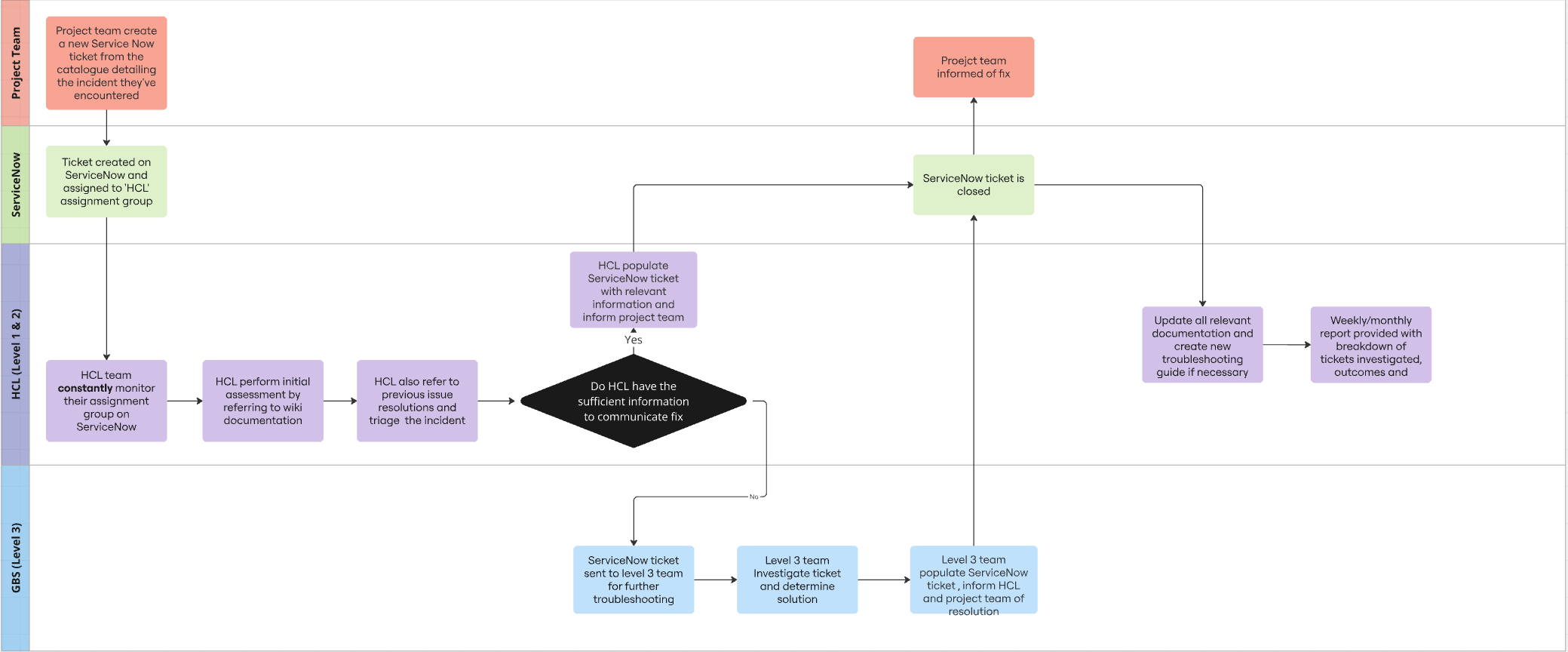
Monitoring and alerting
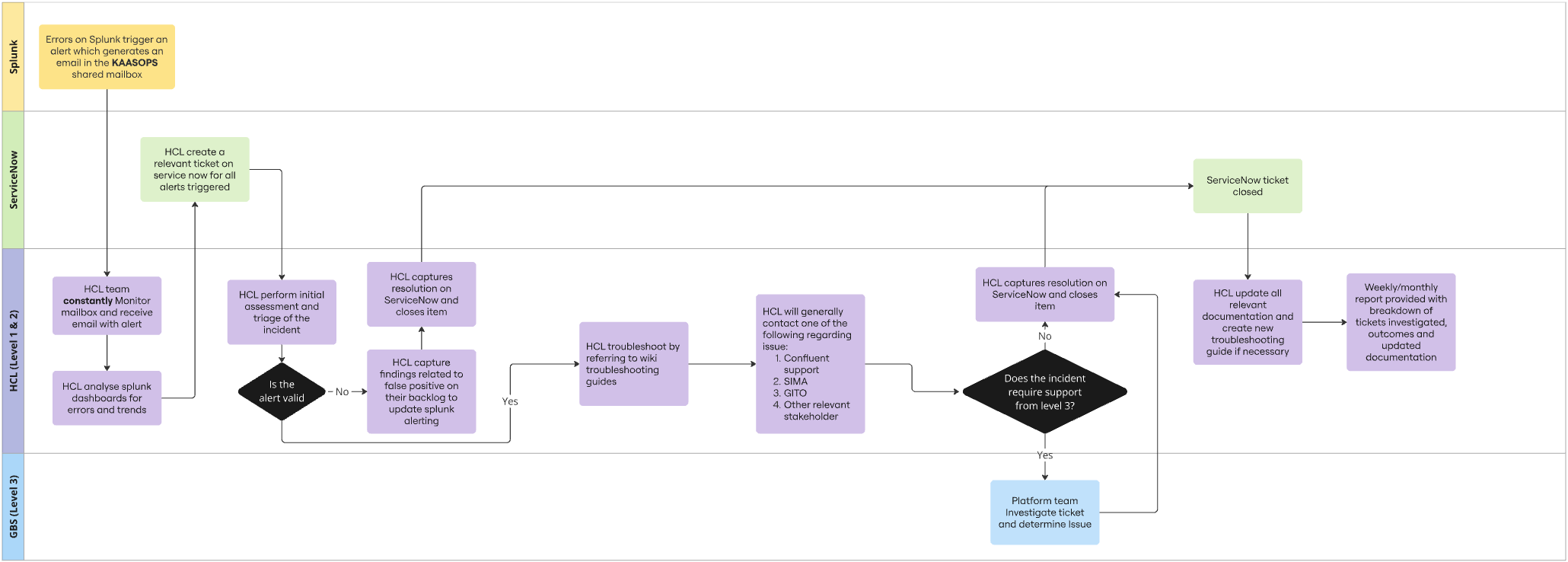
For more information on Monitoring and alert, please visit these wiki page's Platform Alerts (section):
KaaS - Connectivity Monitor - Alive Status
KaaS - Connectivity Monitor - Errors & Exceptions
Standard Service request